Check off your chores
See today's chores, tick them off and watch your points.
Kids with their own sign-in.
Your points only count after a parent says yes, so check off the chore when you have really done it.
What you will do, in one sentence
Open Today, tick each chore when it is done, and wait for your parent to approve it.
Screens captured from a demo family on 2026-11-15. Every name and number on the screens is invented. Prepared 15 November 2026.
1. Open Today
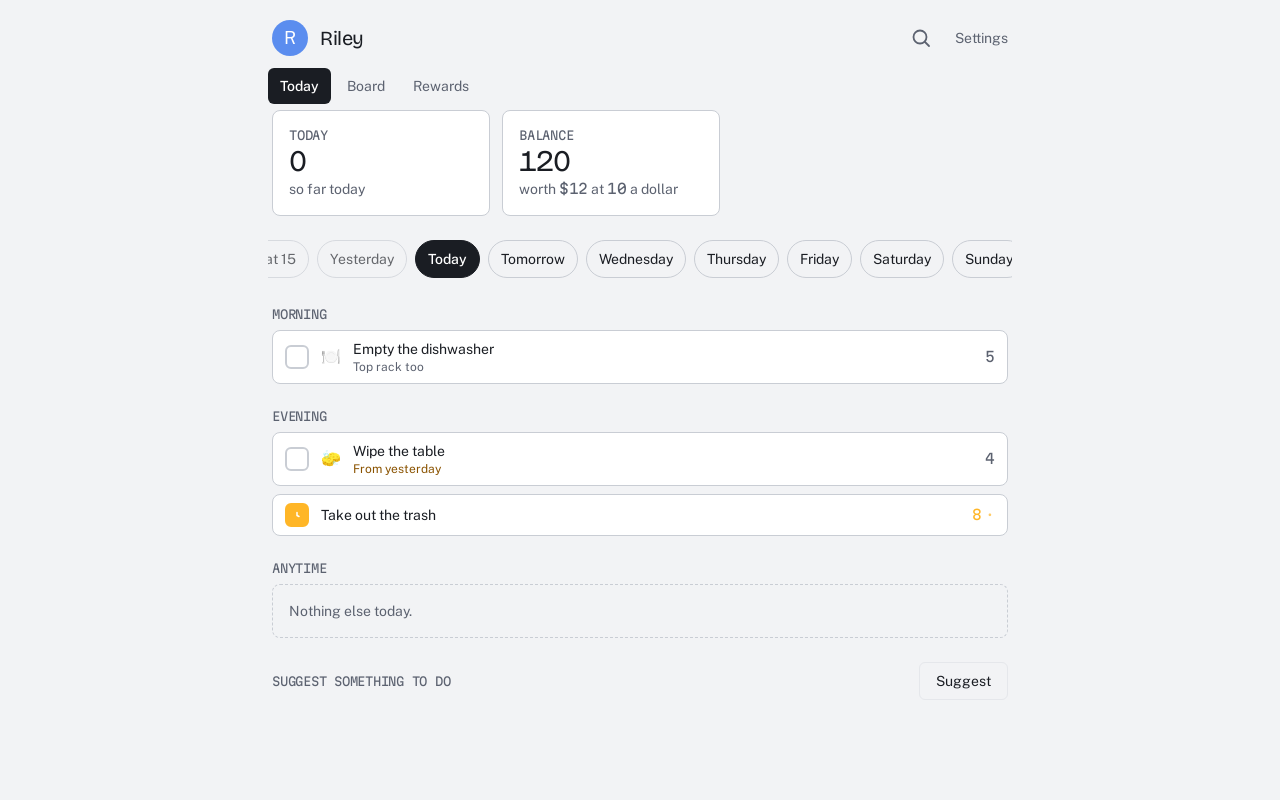
Sign in and you land on Today. It leads with two cards: Today, what you earned so far today, and Balance, what you have saved up.
2. Tick a chore
Tap the box next to a chore when you have done it. Most chores then wait for a parent to approve them. Your points arrive when they do.
Some chores count straight away. Your parent sets that for each chore.
3. Missed one?
If you did a chore yesterday and could not report it, you can still tick it. How far back you can go is your family's setting. The default is one day.
You can only tick chores that are due today, unless your family allows working ahead.
4. Look at the board
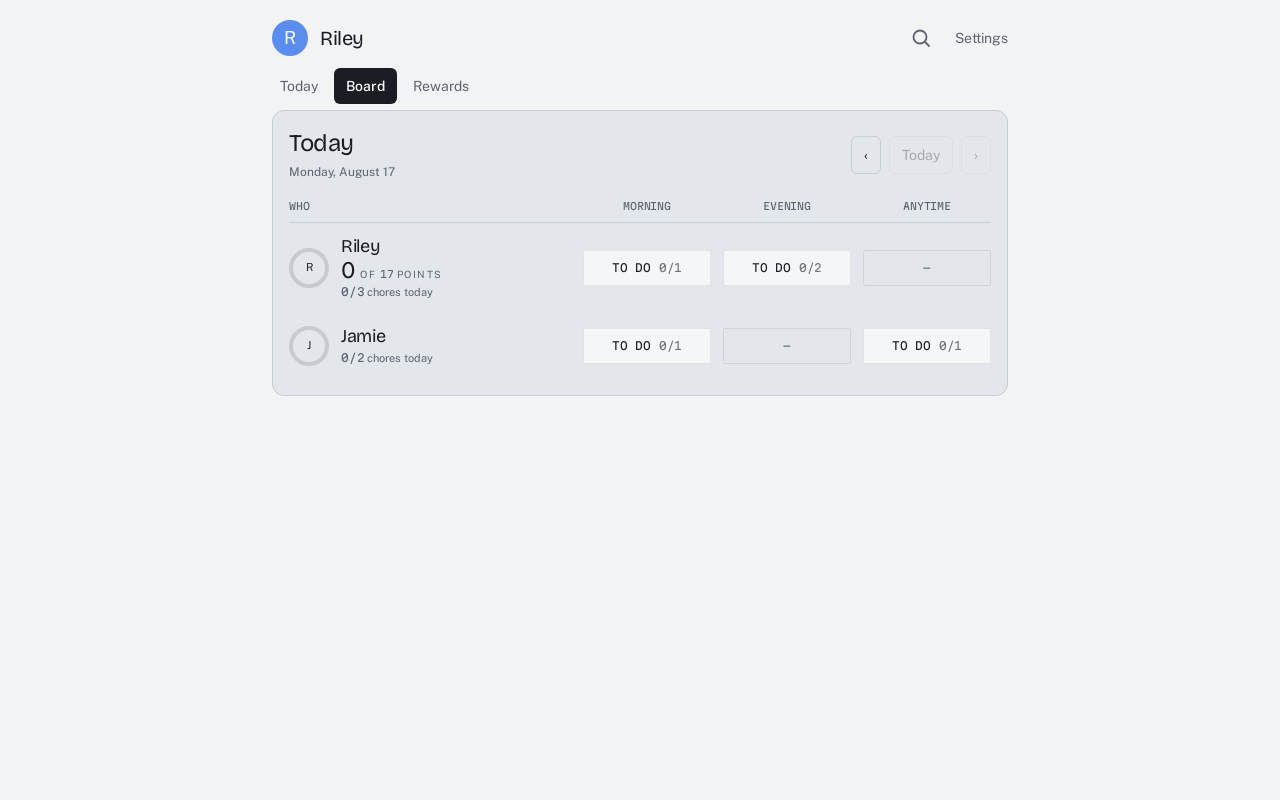
Tap Board to see every kid and every chore window in one grid. You can open your own row to check off a chore. You see how every sibling's chores are going, but only your own point total.
5. Quick reference card
Check off
Tap the box. A parent approves it.
Your points
The Today and Balance cards at the top of Today.
Spend
Open Rewards, pick one and choose Ask for it. A parent decides.
Have an idea?
Choose Suggest at the bottom of Today. A parent decides.
Long chore names wrap onto more lines, so you can read the whole name.