Check the Inbox: approve chores and requests
See what is waiting for you in the Inbox and decide it.
Parents. Kids do not see the Inbox tab.
Points land only when you approve. A chore a kid has checked off earns nothing until you decide it.
What you will do, in one sentence
Open the Inbox, read what is waiting, and approve it or send it back.
Screens captured from a demo family on 2026-11-15. Every name and number on the screens is invented. Prepared 15 November 2026.
1. Open the Inbox
Tap Inbox in the tab bar. The tab carries a count of what is waiting for you.
2. Read what is waiting
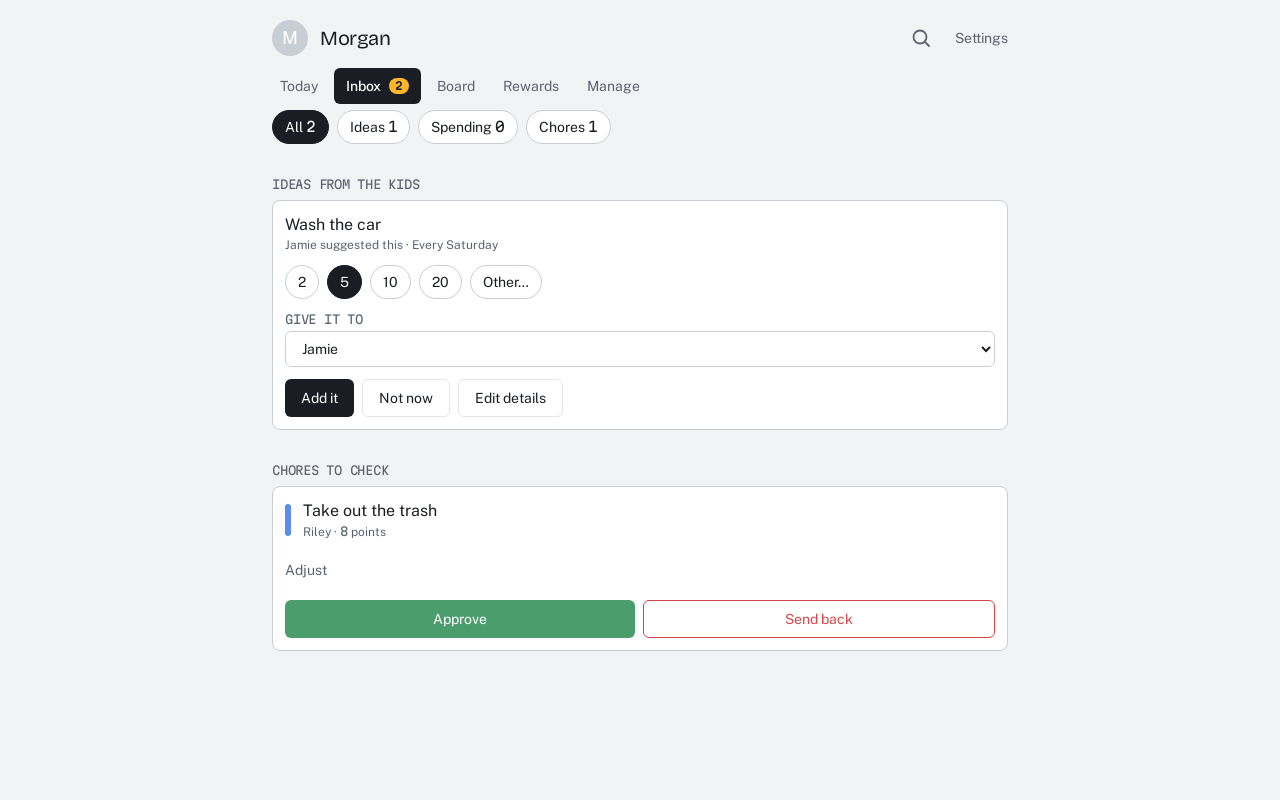
The Inbox has up to three sections.
- Ideas from the kids lists chores a kid has suggested.
- Spending lists requests to spend points, and cash-outs you still owe.
- Chores to check lists chores a kid has checked off.
The chips at the top show All, Ideas, Spending or Chores, each with its count. A section with nothing in it says so.
3. Decide
For a chore a kid has checked off:
- Read the chore, the kid and the points.
- Choose Approve to count it, or Send back to return it to the kid.
- Open Adjust if you want to change the points for this one.
For an idea from a kid, pick the points, check the name under Give it to, then choose Add it. Choose Not now to set it aside, or Edit details to change the chore first.
When a section holds two or more rows, an Approve all button appears. It asks you to tap it a second time, so one stray tap does nothing.
4. Check what has already counted
Once you have decided something today, a Recently decided line appears at the bottom. Open it to see those rows. It includes a chore you crossed off yourself. A decided row has a Send back button, in case you counted it by mistake.
A chore can be set up so a kid's check-off counts straight away. It never waits in the Inbox.
5. Quick reference card
Where to find it
The Inbox tab, for parents only.
What lands points
Only a parent's approval. A check-off alone does not.
Approve a whole section
Approve all, tapped twice.
If the Inbox looks empty, check the chips. A chip with a count of 0 shows an empty list even when another chip has rows.