Set up your household and invite another family
Set how far ahead and behind a kid can work, turn cash-outs on or off, and invite another family.
Parents who manage the household.
These settings decide what a kid can check off and whether points can turn into money.
What you will do, in one sentence
Open Manage, then Household, change a setting and save it, or invite another family from the same tab.
Screens captured from a demo family on 2026-11-15. Every name and number on the screens is invented. Prepared 15 November 2026.
1. Open the Household settings
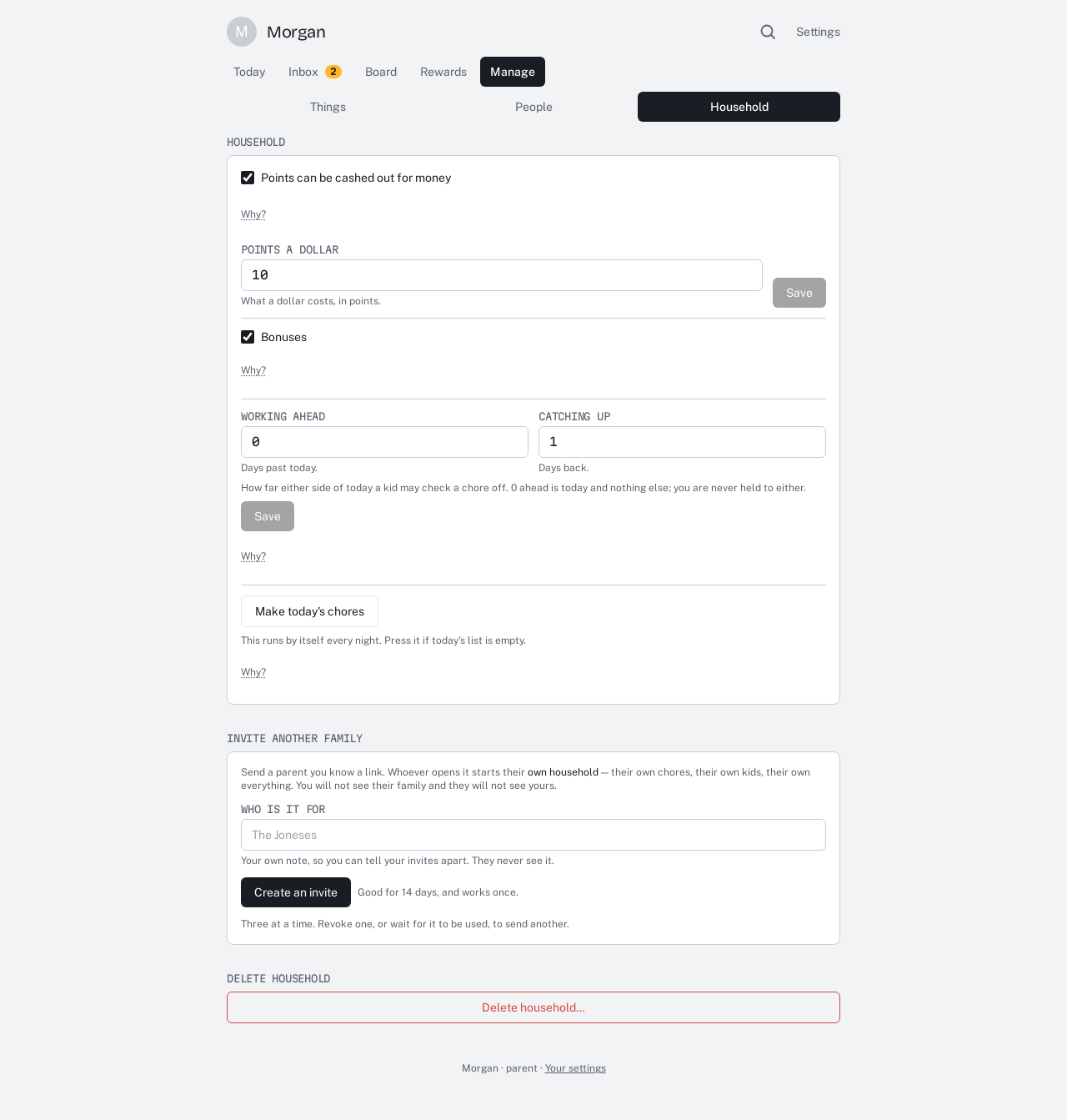
Tap Manage, then the Household tab.
2. Choose how far a kid can reach
- Working ahead is how many days past today a kid may check a chore off. The default is 0, which means today only.
- Catching up is how many days back a kid may report a chore as done. The default is 1, so a bedtime chore can be reported the next morning.
The highest value for each is 14. A parent is never held to either number. Press Save under the two numbers to save them together.
3. Turn cash-outs on or off
Points can be cashed out for money is a tick box, and it is off by default. While it is off, the app shows points and nothing else: no dollar figure, no cash-out dial and no cash rewards.
When you turn it on, set Points a dollar, the number of points that one dollar costs. Money is whole dollars. There are no cents. Turning the box off and on again keeps your rate.
4. Invite another family
- Tap Manage, then the Household tab.
- Scroll to Invite another family.
- Add a note about who the link is for, then create the invite.
- Copy the link. It is shown once, on screen.
Whoever opens the link becomes the first parent of a new family. That family shares nothing with yours. A household can hold three unspent links at a time. Revoke an old link to free a slot.
Chores has no open registration. A household joins only through an invitation.
5. Quick reference card
Working ahead
Days past today a kid may check off. Default 0, highest 14.
Catching up
Days back a kid may report. Default 1, highest 14.
Invite another family
Manage, then Household, then Invite another family. Three live links at a time.
Changing these settings does not alter points already earned.