Rewards, spending and screen time
Understand how a balance buys rewards, how cash-outs are handed over, and what a screen-time reward does.
Parents who approve spending.
Spending is decided in the Inbox, and a timed reward only records a window of time. Nothing on the device enforces it today.
What you will do, in one sentence
Kids request a reward, you approve it in the Inbox, and the points leave the balance.
Screens captured from a demo family on 2026-11-15. Every name and number on the screens is invented. Prepared 15 November 2026.
1. See the rewards
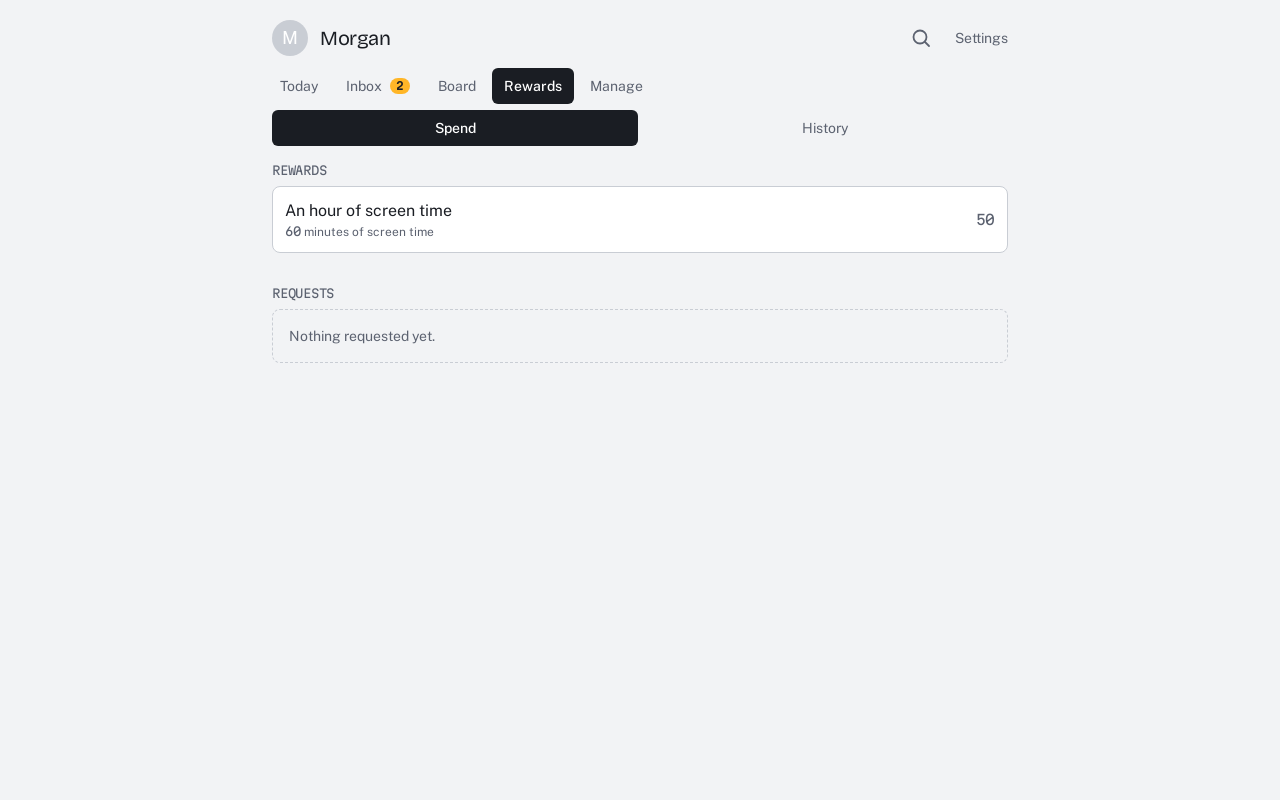
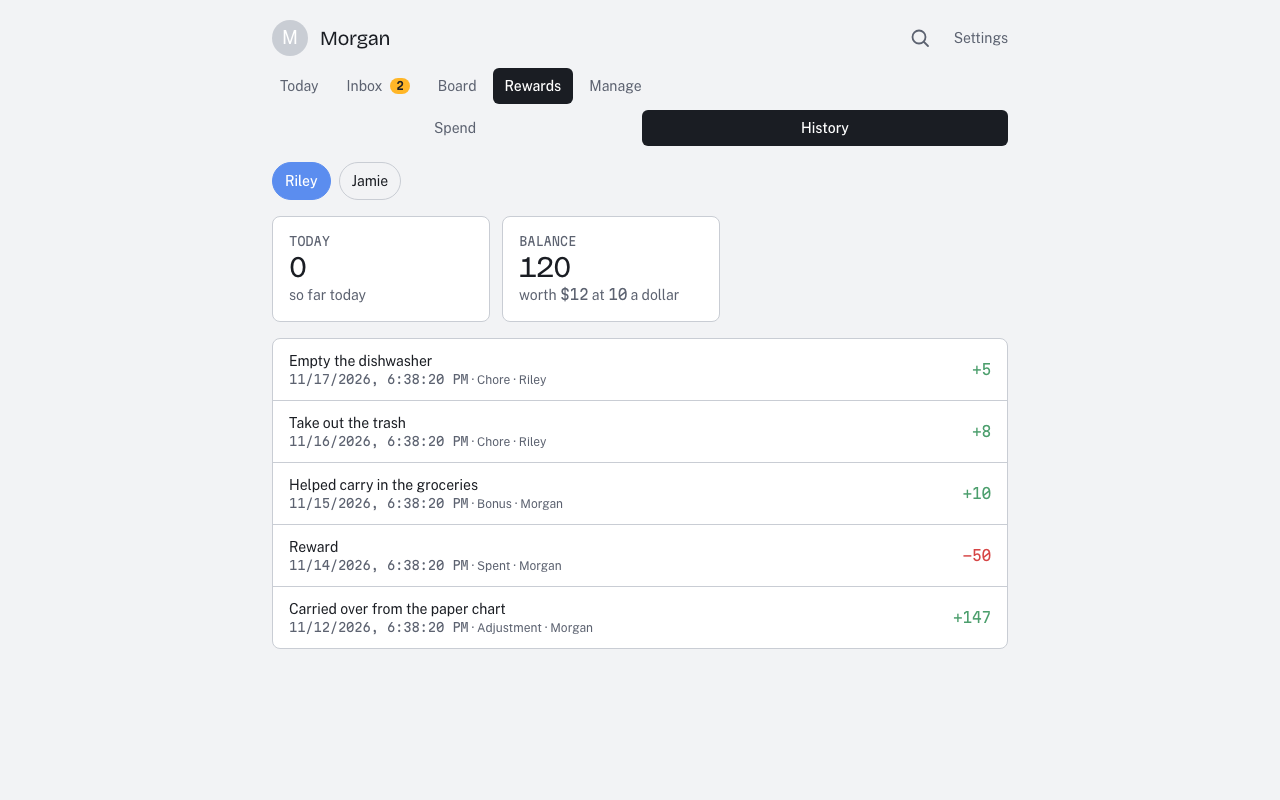
Tap Rewards. It has two views. Spend lists what a balance can buy. History shows every point that has moved.
2. Approve a request
A kid asks for a reward with Ask for it. The request appears under Spending in the Inbox. Approve it and the points leave the balance. The app checks that the balance covers the price before it accepts a request.
You can also spend for a kid yourself, for example at the counter with the cash in hand. Open Today, pick the kid and choose Spend points. That purchase is approved at once and the points are gone.
3. Hand over cash
A cash-out has two steps on one row in the Inbox. Approve it, then record that you handed over the money. A row that is finished shows Handed over. Only cash has the second step.
4. Screen time
A reward can carry a length of time, such as half an hour. When you approve it, the app opens a window that starts now and ends when the time runs out.
The window is a record. No phone or tablet is locked or unlocked by it today. Treat it as a note both of you can see.
A second purchase of the same timed reward is refused while the first window is still running. A reward with no length of time can be bought again straight away.
5. Quick reference card
Where spending is decided
The Inbox, under Spending.
Cash-outs
Whole dollars only. Off unless the household turns them on.
History
Rewards tab, then History. It only grows. A correction is a new row.
The ledger is append-only. A mistake is fixed with a new entry that reverses the old one.